

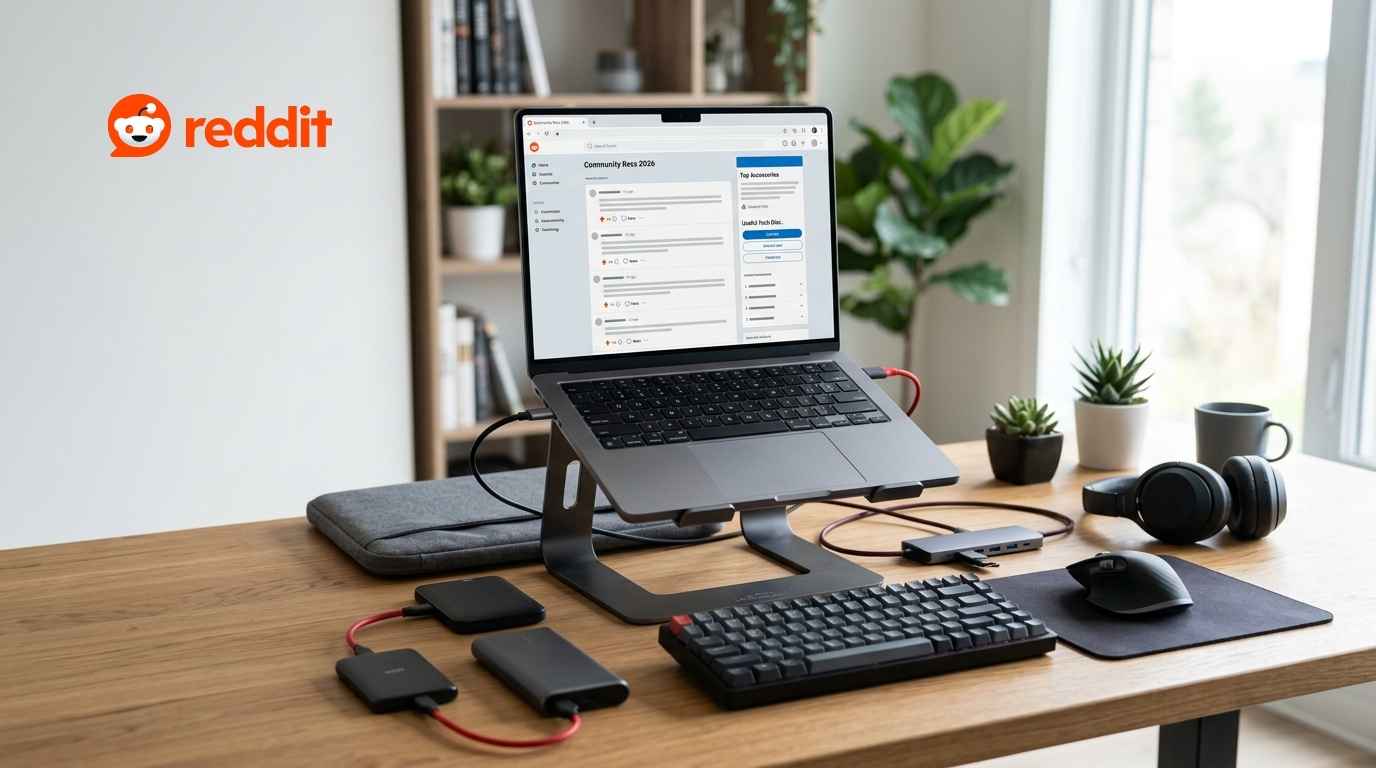
The most useful laptop accessories recommended in Reddit discussions include a USB-C hub, an adjustable laptop stand, an external mouse and keyboard, a protective sleeve, a portable charger, an external SSD, headphones, and cooling support for gaming laptops. The right accessories depend on your laptop’s ports, size, power needs, and how you use it.
A laptop works on its own, but the right accessories can make it more comfortable, productive, and easier to carry.
The problem is that online stores list thousands of products. Many look useful but end up sitting unused in a drawer. Reddit discussions offer a different perspective. Users often share what they bought, what worked, what failed, and what they would buy again.
Across discussions on laptops, Macs, gaming, work, and travel, several accessories recur. USB-C hubs, external mice, laptop stands, protective sleeves, chargers, keyboards, and external storage are among the most common suggestions. This guide covers the best laptop accessories Reddit users commonly recommend for work, study, gaming, and travel. It also explains which accessories are worth your money and which you may not need.
Research note: Reddit recommendations come from individual users and do not represent a formal product survey. Always check current reviews, warranty terms, and compatibility before buying.
Best Laptop Accessories at a Glance
For most people, these accessories offer the biggest improvements:
- A USB-C hub or docking station
- An adjustable laptop stand
- An external mouse
- A comfortable external keyboard
- A compact USB-C charger
- A protective laptop sleeve
- An external SSD or backup drive
- Noise-canceling headphones or a headset
- A portable monitor
- A gaming mouse and large mouse pad
- A laptop cooling stand or cooling pad
- Cable-management accessories
You do not need to buy all of them. Start with the accessory that solves your biggest daily problem.
1. USB-C Hub or Docking Station
A USB-C hub is one of the most useful laptop accessories for people who have limited ports.
Thin laptops often include only a few USB-C connections. A hub can add USB-A ports, HDMI, Ethernet, SD card slots, audio connections, and power pass-through.
Reddit users discussing first-time MacBook accessories frequently mention a USB-C dongle or hub, along with a mouse, a protective sleeve, and external storage. Who needs a USB-C hub?
A hub makes sense when you regularly connect:
- An external monitor
- A keyboard and mouse
- An SD or microSD card
- A wired internet connection
- An external hard drive
- Older USB-A devices
What should you check before buying?
First, confirm what your laptop’s USB-C port supports. A USB-C connector does not always support video output, high-speed data, or laptop charging.
Check these features:
Port selection: Buy the ports you actually need. Extra ports can increase the price and size.
Display support: Confirm the supported resolution and refresh rate if you plan to connect a monitor.
Power delivery: Check how much charging power the hub can pass to your laptop.
Data speed: Fast external SSDs need a hub and port that support suitable transfer speeds.
Cable length: Very short built-in cables may create an awkward desk setup.
USB Power Delivery can support high charging levels, but the laptop, charger, cable, and hub must all support compatible power levels. USB-IF states that newer USB Power Delivery standards can deliver up to 240 watts through supported USB-C equipment. That maximum does not mean every USB-C product can provide 240 watts. A simple five- or six-port hub is enough for most students and travelers. A more powerful dock works better for a permanent desk with multiple monitors and drives.
2. Adjustable Laptop Stand
A laptop stand raises the screen and helps create a cleaner desk.
Without a stand, many people look downward at their laptop for hours. Raising the display can help you place it closer to a comfortable viewing height. OSHA recommends considering monitor height, angle, distance, keyboard placement, and chair position as one complete workstation setup. A stand works best when you pair it with an external keyboard and mouse. Raising the laptop while continuing to type on its built-in keyboard can lift your arms into an uncomfortable position.
Choose between these stand types.
Fixed aluminum stand: Best for a permanent home or office desk.
Adjustable stand: Best when several people use the same desk, or you often change chairs.
Foldable travel stand: Best for students, remote workers, and digital nomads.
Vertical stand: Best when you use the laptop closed with an external monitor.
Ventilated stand: Best for laptops that pull cooling air through the bottom.
Reddit travel and remote-work discussions often mention lightweight, adjustable stands because they improve comfort without taking too much bag space. Check the stand’s weight limit, grip pads, base width, and laptop-size support. A narrow or weak stand may shake while you type.
3. External Mouse
An external mouse provides one of the easiest laptop upgrades.
A touchpad works well for browsing, but a mouse can feel faster and more precise for spreadsheets, design work, research, gaming, and long work sessions. In Reddit discussions about laptops, users often choose an external wireless mouse because they find it more comfortable than the built-in touchpad. Which mouse should you choose?
Compact wireless mouse: Good for students and travelers.
Full-size productivity mouse: Good for long work sessions.
Ergonomic or vertical mouse: Useful for people who dislike the wrist position of a standard mouse.
Gaming mouse: Better for fast movement, adjustable sensitivity, and extra buttons.
Multi-device mouse: Useful when switching between a laptop, tablet, and desktop.
Look for a comfortable shape, reliable tracking, suitable button placement, and good battery life. Do not choose a mouse solely because it has the highest sensitivity. Comfort matters more for everyday work.
A small travel mouse saves space, but it may feel uncomfortable during an eight-hour workday. Choose the size based on how long you’ll use it, not just how easily it fits in your bag.
4. External Keyboard
An external keyboard becomes especially useful when you place your laptop on a stand or connect it to a monitor.
It lets you position the screen and keyboard separately. This creates more control over your sitting position and desk layout. OSHA advises placing the keyboard directly in front of the user while keeping the shoulders relaxed and elbows near the body. Popular keyboard options
Compact keyboard: Saves desk space and fits into a backpack.
Full-size keyboard: Includes a number pad for finance, accounting, and data entry.
Low-profile keyboard: Feels closer to a laptop keyboard.
Mechanical keyboard: Offers clear key feedback and many switch choices.
Multi-device Bluetooth keyboard: Switches between several computers or tablets.
Students and travelers should consider weight and battery life. Office users should focus on comfort, layout, and quiet typing. Gamers should consider response time, key rollover, and wired reliability.
Avoid buying a highly specialized keyboard before you understand your preferences. A simple, comfortable keyboard often provides more value than a large model filled with features you never use.
5. Compact USB-C Charger and Reliable Cable
A smaller charger can reduce the weight of your daily bag.
Modern multi-port chargers can power a laptop, phone, tablet, headphones, and other devices from one wall socket. This can replace several separate adapters while working or traveling.
However, you must match the charger to your laptop.
Check the wattage printed on the laptop’s original charger or in its official specifications. A lower-powered charger may charge slowly, stop charging during heavy use, or fail to support the laptop.
What to look for
- Enough power for your laptop
- USB Power Delivery support
- At least two USB-C ports if you carry several devices
- A trusted safety certification
- Foldable pins for travel
- A suitable charging cable
- Regional plug compatibility
The cable matters as much as the charger. Some USB-C cables support basic phone charging but cannot deliver the power a laptop requires. For higher charging levels, use a properly rated cable from a reliable seller.
Gamers should note that many high-performance laptops still need their large original power adapter for full gaming performance. A smaller USB-C charger may work for light tasks but may not replace the main charger.
6. Protective Laptop Sleeve or Backpack
A laptop sleeve protects your computer from scratches, small impacts, dust, and objects inside your bag.
Reddit Mac and laptop discussions commonly include a padded sleeve or protective case as one of the first accessories new owners should consider. A good sleeve should fit closely without pressing hard against the laptop.
Important sleeve features
- Padding around every side
- Soft inner lining
- Strong zipper or magnetic closure
- Water-resistant outer fabric
- Reinforced corners
- Enough space for the laptop without excess movement
A hard shell can protect the laptop’s surface, but it can also add weight and trap dust between the shell and the device. It may also interfere with some hinges or cooling designs. Check the laptop manufacturer’s guidance before installing one.
For daily commuting, a backpack with a raised and padded laptop compartment offers better protection than a basic tote bag. A raised compartment keeps the laptop from striking the floor when you set the bag down.
7. External SSD and Backup Storage
An external SSD offers more storage and makes it easier to transfer large files.
It can store photos, videos, games, project files, course materials, or backups. Reddit users also mention external storage as a useful purchase for laptops with limited internal capacity. SSD or hard drive?
Choose an external SSD when you need:
- Fast file transfers
- Better shock resistance
- A small, light drive
- Direct editing of photos or videos
- Portable game storage
Choose an external hard drive when you need:
- More storage for less money
- A desk-based backup drive
- Long-term storage for large files
Do not keep your only copy of an important file on one external drive. Drives can fail, disappear, or become damaged.
Use a simple backup plan:
- Keep the working file on your laptop.
- Keep another copy on an external drive.
- Store an important copy in a secure cloud service or another location.
Students should back up assignments before deadlines. Freelancers and businesses should use automated backups rather than relying on memory.
8. Headphones or Headset
Headphones help you focus in shared offices, libraries, dorms, cafés, and homes.
For work and study, comfort and microphone quality matter more than strong bass. For gaming, sound direction, microphone clarity, and low delay become more important.
Choose based on your use.
Noise-canceling headphones: Good for travel and busy workspaces.
Lightweight wireless headphones: Good for study and casual calls.
Wired headset: Good for stable gaming audio and voice chat.
USB headset: Good for work calls and simple setup.
Open-back headphones: Good for spacious sound in a quiet room, but sound can leak in and out.
Check whether you can wear the headset comfortably for several hours. Heavy clamping pressure, warm ear pads, or a weak microphone can become frustrating even when the audio sounds good.
For frequent video meetings, a dedicated headset often improves consistency because the microphone stays close to your mouth.
9. Portable Monitor
A portable monitor gives you a second screen without requiring a permanent desk.
Remote workers can keep a document open on one screen and a meeting or browser on the other. Students can view research while writing. Creators can keep editing controls separate from the main preview.
Travel-focused Reddit discussions often feature portable monitors as part of larger mobile work setups, although the added weight and cables may not suit everyone. Check these features
- Screen size and total weight
- Brightness
- Resolution
- USB-C video support
- HDMI input
- Power requirements
- Stand quality
- Portrait-mode support
Before buying, confirm that your laptop’s USB-C port supports video. Otherwise, you may need HDMI and a separate power cable.
A portable monitor makes sense when you genuinely use a second screen. It may become unnecessary weight if you only travel occasionally or mostly answer email.
10. Gaming Mouse and Large Mouse Pad
A gaming laptop needs accurate controls more than decorative accessories.
A responsive mouse gives you better control than a touchpad. A large mouse pad creates a consistent surface and gives you room for lower sensitivity settings.
Look for:
- A shape that fits your grip
- A reliable sensor
- Adjustable sensitivity
- Useful side buttons
- Low wireless delay or a stable cable
- Lightweight software
- Onboard profile storage
Do not assume that a lighter mouse always performs better. Some players prefer a heavier and more stable feel.
A large desk mat can also protect the desk, reduce keyboard movement, and create a cleaner setup. Choose a washable surface with stitched edges if you expect heavy use.
11. Laptop Cooling Stand or Cooling Pad
Cooling pads are among the most debated laptop accessories on Reddit.
Some gaming-laptop users report noticeable temperature or performance improvements. Others see little change and consider the accessory unnecessary. Users also point out that powerful cooling pads can become noisy, bulky, and difficult to travel with. result depends on the laptop’s design.
A cooling pad is more likely to help when:
- The laptop pulls air through bottom vents
- The device sits on a soft surface
- The processor or graphics chip slows because of heat
- You run long gaming or rendering sessions
- The pad’s airflow aligns with the laptop’s intake vents
A simple open stand may provide enough improvement by lifting the laptop and allowing more air underneath.
Before buying a cooling pad:
- Clean blocked air vents.
- Use the laptop on a hard surface.
- Check the location of the intake vents.
- Monitor temperatures under the same workload.
- Compare results before and after changing the setup.
Do not place a gaming laptop directly on a bed, blanket, or cushion. Soft material can block ventilation.
12. Webcam, Microphone, and Lighting
Many modern laptops include acceptable webcams and microphones. You may not need an upgrade for occasional calls.
A separate webcam becomes useful when you want:
- A sharper picture
- Better low-light performance
- Flexible camera placement
- A wider or narrower viewing angle
- More professional presentations
A USB microphone may improve podcasts, training sessions, interviews, livestreams, and frequent client calls. Place it close enough to capture your voice without increasing background noise.
Before buying a new camera, improve your lighting. Face a window or place a soft light behind the laptop screen. Good lighting can improve video quality more than an expensive camera in a dark room.
13. Cable-Management Accessories
Cable management does not increase laptop speed, but it can make your setup easier to use.
Useful items include reusable cable ties, adhesive clips, a cable sleeve, and a small storage pouch. Label similar cables when you use several chargers or external drives.
Keep charging cables loose enough to avoid sharp bends. Do not tightly wrap a warm power adapter or cover it with fabric.
Travelers can keep a small technology pouch containing:
- Charger
- Charging cables
- USB-C hub
- Mouse
- Storage drive
- Travel adapter
- Spare cable tie
This reduces the chance of forgetting an essential item.
Best Laptop Accessories for Different Users
Best Setup for Work
A practical work setup should support comfort, calls, and several connected devices.
Start with:
- Adjustable laptop stand
- External keyboard
- Comfortable mouse
- USB-C dock
- Headset
- External monitor
- Backup storage
A stand, keyboard, and mouse create the biggest comfort improvement for people who use a laptop as their main work computer. OSHA also recommends auxiliary keyboards and monitors when a laptop serves as a primary computer for intensive work. Best Setup for Students
Students need light, affordable, and durable accessories.
Start with:
- Padded sleeve or backpack
- Compact mouse
- Small USB-C hub
- Portable charger
- External SSD or cloud backup
- Headphones
- Foldable laptop stand
Avoid filling your backpack with accessories you rarely use. Buy the essentials first, attend classes for a few weeks, and add products based on real needs.
Best Setup for Gaming
Gamers should focus on control, cooling, networking, and sound.
Start with:
- Gaming mouse
- Large mouse pad
- Wired or low-delay headset
- Laptop stand
- Ethernet adapter
- External monitor
- Cooling pad when testing shows a benefit
An Ethernet connection can provide a more stable setup than crowded wireless networks, but the actual results depend on your router, internet service, and local network.
Best Setup for Travel
A travel setup should remain light and easy to replace.
Start with:
- Compact multi-port charger
- Properly rated USB-C cable
- Lightweight mouse
- Foldable laptop stand
- Small USB-C hub
- Protective sleeve
- Cable organizer
- Travel adapter
Add a portable monitor only when the productivity benefit justifies the extra space and weight.
How to Choose the Right Laptop Accessories
Check Compatibility First
Confirm:
- Laptop model and screen size
- Available port types
- USB-C video support
- Charging wattage
- Operating-system support
- Monitor resolution and refresh rate
- Device dimensions
- Wireless connection type
Product titles can be misleading. Read the full specification before ordering.
Solve a Real Problem
Ask what slows you down.
Do you lack ports? Buy a hub.
Does your neck feel uncomfortable at your desk? Consider a stand, keyboard, and mouse.
Are you running out of storage? Buy an external drive and create a backup plan.
Does your gaming laptop slow down under long loads? Test temperatures before buying cooling equipment.
Avoid Buying Everything at Once
Accessories can quickly add up to as much as a budget laptop.
Use three priority levels:
Essential: Solves a current problem or protects the laptop.
Useful: Improves comfort or speed during regular tasks.
Optional: Adds convenience without changing your main experience.
For many users, a mouse, sleeve, and suitable charger provide more value than an expensive desk full of gadgets.
Budget Laptop Accessory Setup
Basic Budget Setup
Choose:
- Protective sleeve
- Wireless mouse
- Cable organizer
This setup protects the laptop and improves basic control.
Productivity Setup
Add:
- Adjustable stand
- External keyboard
- USB-C hub
This combination works well for home study and office work.
Complete Desk Setup
Add:
- External monitor
- Docking station
- Headset
- Backup drive
This turns the laptop into a more complete desktop-style workstation.
Laptop Accessories You May Not Need
Not every popular accessory offers equal value.
You may not need:
A screen protector: Many laptops do not require one, and a poorly fitted protector can affect image quality or closing clearance.
A keyboard cover: It may change typing feel and could leave marks on the display when the laptop closes.
An expensive cooling pad: Test your laptop first. A simple stand may provide enough airflow.
A large docking station: A small hub is often enough when you connect only one or two devices.
A portable monitor: It adds weight and setup time.
A hard shell: It may not fit every model or cooling design.
Buy an accessory because it solves a clear problem, not because it appears in an attractive setup photo.
Final Verdict
The best laptop accessories recommended by Reddit users are usually practical rather than flashy.
A USB-C hub adds missing ports. A mouse improves control. A stand, keyboard, and mouse create a more comfortable workstation. A sleeve protects the laptop during travel. An external SSD adds space and supports backups. A suitable charger reduces the number of adapters you carry.
Gamers may also benefit from a gaming mouse, Ethernet adapter, headset, and cooling support. Students should focus on protection, portability, and backup options. Remote workers should invest in comfort and reliable connectivity first.
Start with one problem, buy the accessory that solves it, and use it before adding more products. The best laptop setup is not the one with the most gadgets. It is the one that helps you work, study, play, or travel with less effort.
Frequently Asked Questions
What are the most useful laptop accessories?
The most useful accessories for most people are a USB-C hub, an external mouse, a laptop stand, a keyboard, a protective sleeve, a charger, headphones, and a backup drive.
What laptop accessories do Reddit users recommend most often?
Common Reddit recommendations include USB-C hubs, mice, sleeves, external storage, laptop stands, keyboards, chargers, and cooling accessories for some gaming laptops. What should I buy first for a new laptop?
Start with a protective sleeve and a mouse. Add a hub when your laptop lacks the ports you need. Buy a stand and keyboard when you regularly work at a desk.
Is a laptop stand worth buying?
Yes, when you use your laptop at a desk for long periods. A stand lets you raise the screen, but you should pair it with an external keyboard and mouse for a better setup.
Do I need a USB-C hub?
You need a USB-C hub when your laptop lacks connections for your monitor, storage drive, keyboard, Ethernet cable, memory card, or older USB devices.
Are laptop cooling pads worth it?
Sometimes. They can help laptops with bottom air intakes or heat-related performance problems. However, results vary by laptop design, and some pads add significant noise and weight. Does every USB-C charger work with a laptop?
No. The charger, cable, and laptop must support compatible charging standards and enough power. Check your laptop’s required wattage before buying.
Is an external keyboard necessary with a laptop stand?
It is strongly recommended. A raised laptop screen may place the built-in keyboard too high for comfortable typing.
Should students buy an external SSD?
An SSD is useful for large files and backups, but students with small storage needs may start with secure cloud storage. Important assignments should exist in more than one location.
What accessories improve a gaming laptop?
A gaming mouse, a large mouse pad, a headset, an Ethernet adapter, an external monitor, a stand, and a suitable cooling solution can improve a gaming setup.
What accessories are best for remote work?
A stand, external keyboard, mouse, dock, monitor, headset, webcam, and backup drive create a strong remote-work setup.
What laptop accessories are best for travel?
A compact charger, lightweight mouse, foldable stand, small USB-C hub, protective sleeve, travel adapter, and cable organizer work well for travel.
Can accessories make a laptop faster?
Most accessories do not increase processor speed. However, an external SSD can speed up some file tasks, and better cooling may help a laptop maintain performance when heat causes it to slow down.
How much should I spend on laptop accessories?
Spend according to the problems you need to solve. A small setup with a mouse, sleeve, and hub may be enough. Avoid buying a complete desk setup before you know which accessories you will use.
Are expensive laptop accessories always better?
No. Compatibility, comfort, build quality, and reliability matter more than price or brand name. A simple accessory that fits your needs can offer better value than a premium product filled with unused features.