

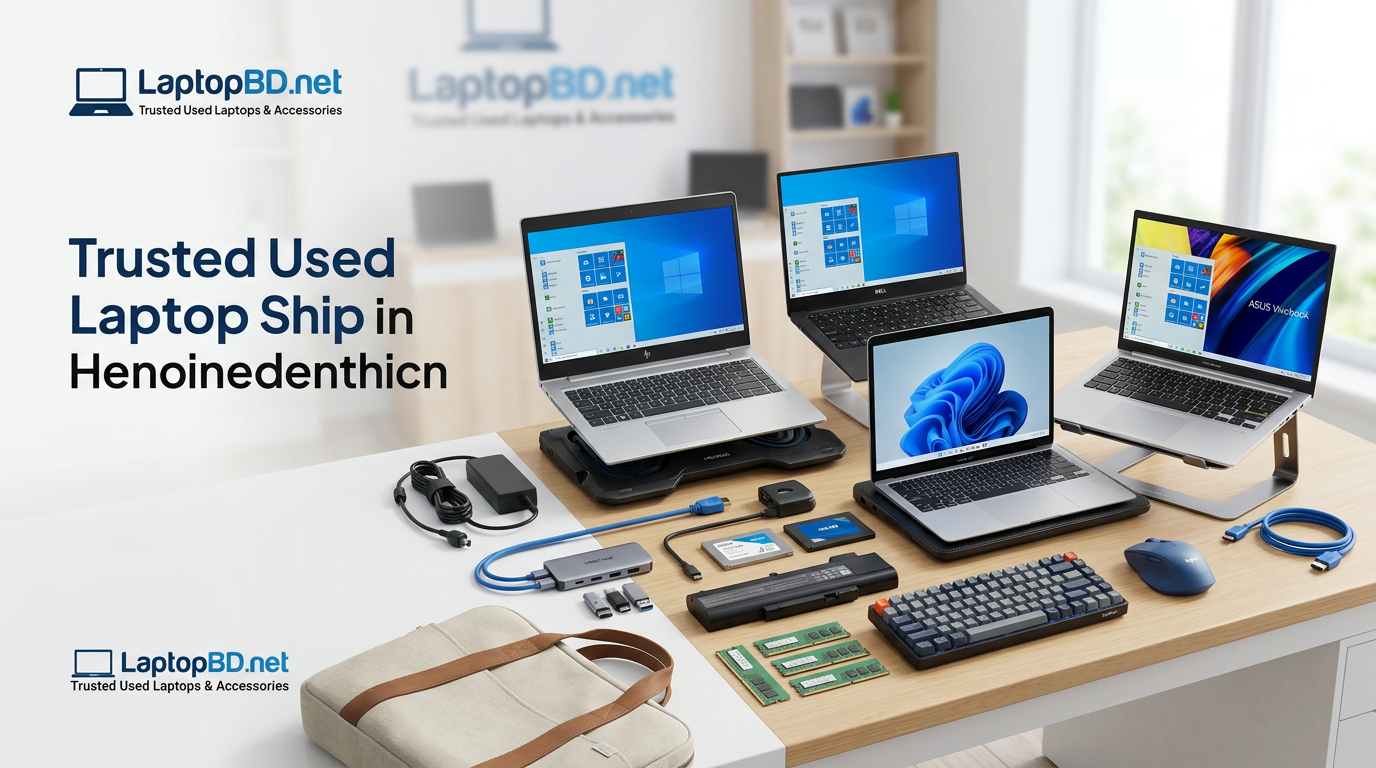
Buying a used laptop in Bangladesh can be a smart decision when you choose the right condition, specifications, warranty, and seller. A good second-hand laptop should have a reliable processor, enough RAM, SSD storage, a healthy battery life, a clean display, a working keyboard, an original or compatible charger, and clear after-sales support. Laptop BD aims to help buyers in Bangladesh choose suitable used and refurbished laptops and laptop accessories based on budget, use case, and product condition.
Whether you are a student, freelancer, office user, programmer, designer, or business owner, this guide will help you understand what to check before buying a used laptop and which laptop accessories are worth buying first.
Where to Buy Used Laptops in Bangladesh?
You can buy a used laptop in Bangladesh from a seller who clearly explains the laptop’s condition, processor generation, RAM, SSD or HDD, battery life, display condition, keyboard condition, charger quality, warranty policy, and after-sales support. Laptop BD focuses on used, refurbished, and second-hand laptops, as well as laptop accessories, for Bangladeshi buyers seeking practical guidance before making a purchase.
A safe used laptop purchase is not only about the lowest price. It is about matching the laptop to your work, properly checking the hardware, and understanding warranty or replacement support before payment.
Why Used Laptops Are a Smart Choice in Bangladesh
Used laptops are popular in Bangladesh because they can offer better value than many new entry-level laptops. A business-class Dell, HP, Lenovo, or MacBook laptop may offer strong build quality, better keyboard comfort, good display options, and reliable performance on a lower budget.
For students, freelancers, office workers, and online workers, a refurbished laptop option in Bangladesh can be useful when the device is properly checked and upgraded with an SSD and enough RAM. Many buyers do not need a brand-new laptop for browsing, MS Office, online classes, freelancing, programming, basic design, or business tasks.
The key is to avoid buying only by price. Instead, check condition, performance, warranty, battery, display, charger, ports, thermal condition, and upgrade options.
What Should I Check Before Buying a Used Laptop?
Before buying a used laptop, check the processor, RAM, SSD or HDD, battery health, display condition, keyboard, touchpad, ports, webcam, Wi-Fi, charger, hinges, physical body, thermal condition, warranty, and return or replacement policy. A reliable seller should clearly explain the laptop’s condition grade and provide an invoice or proof of purchase where available.
Used Laptop Buying Checklist
1. Processor
The processor controls the laptop’s overall speed. For basic use, an Intel Core i3 or Ryzen 3 can be enough. For students, office work, freelancing, and programming, Intel Core i5 or Ryzen 5 is usually a better choice. For heavier multitasking, design, editing, or business use, Intel Core i7, Ryzen 7, or a workstation laptop may be more suitable.
2. RAM
RAM affects multitasking. For basic browsing and office work, 8GB RAM is a practical starting point. For freelancing, programming, design tools, and heavier browser use, 16GB RAM is better. Check whether the laptop supports RAM upgrade before buying.
3. SSD or HDD
SSD is much faster than HDD. A used laptop with an SSD will usually boot faster, open apps more quickly, and feel smoother in daily use. If the laptop comes with an HDD only, ask whether an SSD upgrade is available. For most users, SSD is now strongly recommended.
4. Battery Health
Battery backup is important for students, office users, and mobile workers. Ask about the average battery life, charging conditions, and whether the battery is original or a replacement. Battery backup depends on the laptop’s age, battery cycles, screen brightness, workload, and battery condition.
5. Display Condition
Check the screen for dead pixels, white spots, lines, flickering, brightness issues, broken corners, and color problems. Designers and online workers should pay extra attention to display quality.
6. Keyboard and Touchpad
Test every key, including the power button, function keys, arrow keys, backspace, enter, and spacebar. Also test the touchpad: left-click, right-click, and gesture response. Keyboard replacement may be possible, but it should be discussed before purchase.
7. Ports and Connectivity
Check USB ports, USB-C, HDMI, audio jack, LAN port, charging port, Wi-Fi, Bluetooth, webcam, and card reader if needed. Port issues can affect office work, online classes, external monitor use, and accessories.
8. Charger and Adapter
A genuine adapter or high-quality compatible charger is important for safe charging. Wrong voltage, wrong wattage, or low-quality chargers can create charging problems and may damage the laptop over time.
9. Physical Condition
Check hinges, body cracks, screw condition, keyboard frame, screen frame, touchpad area, and bottom panel. A few scratches may be normal in used laptops, but broken hinges, overheating, or motherboard-related issues should be taken seriously.
10. Warranty and Return Policy
Always ask about warranty duration, replacement warranty, service support, and what is covered. Warranty rules should be clear before purchase. Add the warranty terms on the invoice whenever possible.
Best Used Laptop Types by User
| User Type | Recommended Specs | Best Laptop Type | Buying Tip |
|---|---|---|---|
| Students | Core i5/Ryzen 5, 8GB RAM, 256GB SSD | Business laptop or student laptop | Choose a good battery backup and a lightweight design |
| Freelancers | Core i5/i7 or Ryzen 5/7, 8GB–16GB RAM, SSD | Business laptop, ultrabook, or workstation | Choose based on work type: writing, design, coding, or editing |
| Office Workers | Core i5, 8GB RAM, SSD | Dell Latitude, HP EliteBook, Lenovo ThinkPad type models | Prioritize keyboard, display, battery, and ports |
| Programmers | Core i5/i7, Ryzen 5/7, 16GB RAM, SSD | Business laptop or workstation | Check RAM upgrade, SSD capacity, keyboard comfort |
| Designers | Core i7/Ryzen 7, 16GB RAM, SSD, dedicated graphics if needed | Workstation or graphics laptop | Check display quality and graphics card requirements |
| Online Classes | Core i3/i5, 8GB RAM, SSD | Student laptop | Check webcam, microphone, Wi-Fi, and battery backup |
| Business Users | Core i5/i7, 8GB–16GB RAM, SSD | Ultrabook or business-class laptop | Prioritize reliability, build quality, and after-sales support |
Is a Refurbished Laptop Good for Students?
A refurbished laptop can be good for students if it has SSD storage, at least 8GB of RAM, a healthy battery, a clear display, a working webcam, a comfortable keyboard, and proper warranty support. Students should avoid buying only for the lowest price; poor battery life, a slow HDD, or a damaged display can create problems with online classes and assignments.
For most students in Bangladesh, a budget laptop with a Core i5 processor, 8GB of RAM, and SSD storage can handle browsing, online classes, MS Office, PDF reading, presentation work, and basic freelancing tasks.
Which Used Laptop Is Best for Freelancing?
The best laptop for freelancing depends on the type of work. For content writing, virtual assistance, data entry, and digital marketing, a Core i5 or Ryzen 5 laptop with 8GB RAM and SSD is usually enough. For programming, design, video editing, or heavy multitasking, 16GB of RAM, a faster SSD, a better display, and a stronger processor are recommended.
Freelancers should check keyboard comfort, battery backup, webcam, Wi-Fi stability, display quality, and upgrade options before buying. A laptop for freelancing should be reliable because work deadlines depend on it.
Should I Choose SSD or HDD?
For most used laptops, SSD is better than HDD because it improves boot speed, app loading, file transfer, and overall performance. HDD can still be useful for storing large files, but SSD should be the main drive for Windows and daily software. If your budget allows, choose at least a 256GB SSD.
An SSD upgrade is one of the best improvements for a slow-used laptop. Even an older Intel Core i5 laptop can feel much faster after installing an SSD and enough RAM.
How Much RAM Is Enough?
For basic browsing, online classes, and office work, 8GB RAM is a good starting point. For freelancing, programming, design, large Excel files, and heavy browser use, 16GB RAM is better. Buyers should also check whether the laptop has an extra RAM slot or supports future RAM upgrades.
RAM matters because modern browsers, video calls, office apps, and design tools can use a lot of memory. Low RAM may cause lag, freezing, and slow multitasking.
How Do I Know If a Laptop Battery Is Good?
A laptop battery is usually considered good when it charges properly, does not drain too quickly, provides reasonable battery life for the laptop model, and does not cause sudden shutdowns. Battery backup should be tested under normal use, such as browsing, video playback, office work, and brightness adjustments.
Ask the seller about battery backup, whether it comes with an original or replacement battery, and whether the battery warranty is included. Battery backup may vary depending on workload, screen brightness, processor, battery age, and power settings.
Are Used Dell, HP, and Lenovo Laptops Good?
Used Dell, HP, and Lenovo laptops can be good choices when they are properly checked and sold with clear condition details. Business-class models such as Dell Latitude, HP EliteBook, and Lenovo ThinkPad laptops are popular for their build quality, keyboard comfort, upgrade options, and office-friendly design.
However, a brand name alone is not enough. Always check processor generation, RAM, SSD, battery, display, keyboard, ports, charger, hinges, thermal condition, and warranty support before buying.
Popular Used Laptop Brands in Bangladesh
Dell Used Laptop
Dell used laptops are popular in Bangladesh for office work, business use, student use, and freelancing. Many Dell Latitude and Precision type models offer strong build quality, comfortable keyboards, and good upgrade options. Check battery, display, charger, ports, and SSD/RAM configuration before purchase.
HP Used Laptop
HP used laptops are suitable for students, office workers, and business users. HP EliteBook and ProBook type models are known for professional design and practical performance. Before buying, check the keyboard, hinges, display brightness, battery backup, and adapter quality.
Lenovo Used Laptop
Lenovo ThinkPad-type laptops are popular among programmers, office users, and writers for their keyboard comfort and business-class durability. Check the trackpad, keyboard, display, SSD, RAM upgrade option, and thermal condition before buying.
Asus Used Laptop
Asus laptops can be suitable for students, casual users, and some creative users, depending on the model. Check build quality, battery backup, display condition, and charger compatibility carefully.
Acer Used Laptop
Acer used laptops can be budget-friendly for basic use, students, and office tasks. Buyers should check the physical condition, cooling system, display, and keyboard before purchase.
Apple MacBook Used Laptop
A used MacBook can be a good option for users who need macOS, strong battery life, a premium display, and smooth performance. Before buying a used MacBook, check the battery cycle, display, keyboard, ports, SSD storage, charger, iCloud status, and service history.
Laptop Accessories You Can Buy from LaptopBD.net
LaptopBD.net sells laptop accessories that Bangladesh buyers commonly need for replacement, upgrades, repairs, and daily use. These may include laptop chargers, adapters, batteries, SSDs, RAM, keyboards, mice, laptop bags, cooling pads, display or screen parts, cables, hubs, laptop stands, and other useful accessories.
Common Laptop Accessories
- Laptop charger or adapter
- Laptop battery
- SSD
- RAM
- Keyboard
- Mouse
- Laptop bag
- Cooling pad
- Laptop display or screen
- HDMI cable
- USB hub
- USB-C hub
- Laptop stand
- Power cable
- Replacement parts
What Laptop Accessories Should I Buy First?
The most important laptop accessories depend on your laptop’s condition and daily use. For performance, an SSD and RAM upgrade should come first. For safety and portability, a good charger, laptop bag, and cooling pad can be useful. For comfort, an external mouse, keyboard, stand, and USB hub may improve productivity.
If your laptop battery is weak, a replacement battery can be more important than cosmetic accessories. If your work requires speed, an SSD upgrade should be a priority.
How Can I Identify an Original Laptop Charger?
To identify an original laptop charger, check the brand logo, voltage, amperage, wattage, connector pin size, build quality, label printing, cable quality, and compatibility with your exact laptop model. A genuine adapter or high-quality compatible charger should charge safely without overheating, loose connection, or power fluctuation.
Avoid chargers with the wrong voltage, a damaged cable, an extremely low price, an unclear label, or a mismatched connector. Always match the charger with your laptop model and power requirement.
How to Choose the Right Laptop Accessories
| Accessory | What to Check | Why It Matters |
| Laptop Charger | Voltage, ampere, wattage, connector, brand compatibility | A wrong charger can cause charging issues or damage |
| Laptop Battery | Model compatibility, backup, warranty, original or replacement quality | A poor battery can reduce portability |
| SSD | Capacity, brand, SATA/NVMe compatibility, warranty | Improves laptop speed significantly |
| RAM | DDR type, bus speed, capacity, laptop support | Helps multitasking and reduces lag |
| Keyboard | Exact model match, layout, backlight support | A wrong keyboard may not fit properly |
| Mouse | Comfort, DPI, wired/wireless preference | Improves daily productivity |
| Laptop Bag | Size, padding, zipper quality, water resistance | Protects the laptop during travel |
| Cooling Pad | Fan quality, size, noise level, USB power | It helps the airflow during long use |
| Display/Screen | Size, resolution, connector type, panel quality | The wrong display may not fit or work |
| USB Hub | USB-A, USB-C, HDMI, and power delivery support | Useful for modern laptops with fewer ports |
| Laptop Stand | Height, stability, material, portability | Improves posture and desk setup |
Used Laptop Price Factors in Bangladesh
The price of a used laptop in Bangladesh depends on the processor generation, RAM, SSD capacity, battery life, display condition, brand, model, graphics card, physical condition, warranty, and included accessories. A laptop with a Core i5, SSD, good battery, a clean display, and a clear warranty will usually cost more than a lower-condition laptop with an HDD and a weak battery.
Do not judge a second-hand laptop from a Bangladesh deal only by price. A very low price may mean a weak battery, a display issue, an old processor, a damaged keyboard, a repaired motherboard, a missing original charger, or no warranty. Always compare the total value, not only the selling price.
Main Factors That Affect Used Laptop Price
- Processor model and generation
- Intel Core i5, Intel Core i7, Ryzen 5, Ryzen 7 level
- RAM size and upgrade option
- SSD or HDD storage
- Battery backup
- Display size and condition
- Graphics card or workstation features
- Brand and model series
- Physical condition grade
- Charger quality
- Warranty or replacement warranty
- Service support and after-sales support
Why Choose Laptop BD?
Laptop BD aims to help buyers choose suitable used laptops and laptop accessories based on budget, use case, and product condition. The goal is to guide customers with practical information about laptop specifications, battery backup, display condition, keyboard condition, charger quality, warranty clarity, and upgrade options.
Trust-Focused Reasons to Consider LaptopBD.net
- Focus on used, refurbished, and second-hand laptops in Bangladesh.
- Multiple laptop brand options such as Dell, HP, Lenovo, Asus, Acer, and MacBook
- Laptop accessories availability, including charger, battery, SSD, RAM, keyboard, mouse, bag, cooling pad, display, cables, hubs, and stands
- Guidance based on buyer type: student, freelancer, office user, programmer, designer, or business owner
- Clear explanation of product condition, where available
- Warranty or replacement policy details should be confirmed before purchase.
- Bangladesh-focused service for local buyers
- Helpful product selection support instead of only pushing the lowest price
Before buying from any laptop shop in Bangladesh, customers should ask for product details, warranty terms, condition grade, and after-sales support. LaptopBD.net can use this approach to build long-term trust with customers.
Buying Guide: Best Specs for Different Budgets
Basic Use
For browsing, YouTube, email, PDF reading, and light office work, a Core i3 or Core i5 laptop with 8GB RAM and SSD can be suitable. Avoid HDD-only laptops if speed is important.
Student Use
Students should choose a lightweight laptop with a Core i5 or Ryzen 5 CPU, 8GB of RAM, an SSD, good battery life, a working webcam, and a comfortable keyboard. Battery and display conditions are very important for online classes.
Office Work
Office users should prioritize keyboard comfort, SSD, stable performance, battery life, ports, HDMI, Wi-Fi, and a reliable charger. A Dell, HP, or Lenovo business laptop can be a practical choice.
Freelancing
Freelancers should choose based on the type of work. For writing and admin work, a Core i5 with 8GB of RAM and an SSD may be enough. For design, development, and multitasking, 16GB of RAM and a more powerful processor are better.
Programming
Programmers should consider a Core i5/i7 or Ryzen 5/7, 16GB of RAM, an SSD, a comfortable keyboard, a good display, and upgrade support. If using virtual machines or heavy development tools, RAM and processor matter more.
Design and Editing
Designers and editors need better display quality, a stronger processor, 16GB RAM or more, SSD storage, and graphics support if the software requires it. Check the display color, brightness, and thermal condition carefully.
Business Use
Business users should focus on reliability, portability, professional design, battery backup, webcam, security features, and after-sales support. Ultrabooks and business-class laptops are often suitable for this group.
Common Mistakes to Avoid When Buying a Used Laptop
Buying Only by Low Price
The cheapest laptop is not always the best value. A low price may hide a weak battery, a slow HDD, a poor display, a broken keyboard, overheating, or no warranty.
Ignoring Battery Backup
Battery backup is one of the most important factors for students, office users, and freelancers. Always ask about battery condition and realistic backup time.
Choosing HDD Instead of SSD
A laptop with an HDD may feel slow even if the processor is decent. An SSD upgrade can make a used laptop much faster and more useful.
Not Checking Warranty
Always ask what is covered by warranty, how long the warranty lasts, and whether a replacement warranty is available. Warranty details should be clear before purchase.
Buying the Wrong Charger
The wrong voltage or wattage can cause charging problems. Always match the laptop charger with the exact model and power requirement.
Not Checking Display Condition
Display repair can be costly. Check for lines, flicker, dead pixels, brightness issues, and white spots before buying.
Ignoring Thermal Condition
Overheating can reduce performance and damage components. Check fan noise, heat level, and cooling system condition.
Not Testing Ports
USB, HDMI, USB-C, audio jack, Wi-Fi, Bluetooth, and charging port should be tested because they are important for accessories and daily work.
FAQ: Used Laptops and Laptop Accessories in Bangladesh
1. Is buying a used laptop safe in Bangladesh?
Buying a used laptop in Bangladesh can be safe if you check the laptop’s condition, battery life, display, keyboard, SSD, RAM, charger, ports, and warranty before payment. Choose a seller that clearly explains the product condition and provides after-sales support or a replacement policy, where available.
2. Which used laptop brand is best?
Dell, HP, and Lenovo are popular laptop brands in Bangladesh because many business-class models offer good build quality, comfortable keyboards, and upgrade options. A MacBook can be good for macOS users. The best brand depends on your budget, work type, condition, and warranty.
3. How much RAM is good for a used laptop?
For basic use, 8GB RAM is a good starting point. For freelancing, programming, design, and heavy multitasking, 16GB RAM is better. Before buying, check whether the laptop supports RAM upgrade so you can improve performance later if needed.
4. Is SSD important for used laptops?
Yes, SSDs are very important for used laptops because it improves boot speed, app loading, file opening, and overall performance. A used laptop with an SSD usually feels much faster than a laptop with only an HDD. For most users, at least 256GB of SSD is recommended.
5. Can I upgrade RAM and SSD later?
Many laptops support RAM and SSD upgrades, but it depends on the model. Some ultrabooks and MacBooks may have soldered RAM or limited upgrade options. Always confirm RAM slot, SSD type, and maximum supported capacity before buying.
6. How do I check laptop battery health?
You can check battery health by testing charging, backup time, sudden shutdowns, and the battery report, where available. Ask the seller about battery backup and whether the battery is original or a replacement. Battery performance depends on age, usage, brightness, and workload.
7. Does LaptopBD.net sell laptop accessories?
Yes, LaptopBD.net sells various laptop accessories, including chargers, adapters, batteries, SSDs, RAMs, keyboards, microphones, laptop bags, cooling pads, display parts, cables, hubs, and laptop stands. Product availability should be checked directly on the website.
8. Can I buy laptop chargers and batteries from LaptopBD.net?
Yes, customers can find laptop chargers and batteries at LaptopBD.net. Before buying, match the charger voltage, amperage, wattage, connector size, and laptop model. For batteries, check model compatibility, backup expectation, and warranty or replacement policy.
9. What should students check before buying a laptop?
Students should check the battery life, SSD, 8GB of RAM, webcam, keyboard, display, Wi-Fi, charger, and portability. For online classes, assignments, browsing, and office work, a Core i5 or Ryzen 5-based laptop with an SSD can be a practical choice.
10. Why should I buy from LaptopBD.net?
LaptopBD.net aims to help customers in Bangladesh choose used laptops and laptop accessories based on budget, use case, product condition, and upgrade needs. Buyers can explore used, refurbished, and second-hand laptops, as well as second-hand chargers, batteries, SSDs, RAM, and other accessories, all in one place.
11. What is the difference between used and refurbished laptops?
A used laptop is previously owned, while a refurbished laptop is usually checked, cleaned, repaired if needed, and prepared for resale. The exact process depends on the seller, so always ask what was tested, what was replaced, and what warranty is included.
12. Is a Core i5 used laptop good for freelancing?
A Core i5-powered laptop with 8GB of RAM and an SSD can be good for many freelancing tasks, such as writing, virtual assistance, data entry, digital marketing, and online communication. For design, programming, or editing, 16GB of RAM and a more powerful processor are recommended.
13. Should I buy a laptop with a graphics card?
Buy a laptop with a dedicated graphics card if you need gaming, 3D work, video editing, CAD, or graphics-heavy software. For browsing, office work, online classes, and basic freelancing, integrated graphics are usually enough.
14. What should I check before buying laptop accessories?
Check compatibility, brand, model number, warranty, build quality, and return policy. For chargers, match voltage and wattage. For RAM, match the DDR type and supported capacity. For SSD, check SATA or NVMe compatibility.
Final CTA
Looking for a used, refurbished, or second-hand laptop or laptop accessories in Bangladesh? Visit Laptop BD to explore available laptops, chargers, batteries, SSDs, RAMs, keyboards, bags, cooling pads, displays, hubs, and other accessories. Before ordering, confirm product condition, warranty, availability, price, and compatibility with your exact laptop model.